
 vs
vs
SendKit vs EmailBison (2026): $599 Infrastructure at a $99 Entry
We compared SendKit and EmailBison on pricing, infrastructure, and features. Both offer dedicated IPs. The real difference is price and feature depth.

The Verdict
SendKit and EmailBison share the same core philosophy: dedicated IPs and isolated infrastructure for every customer. That puts both platforms ahead of shared-pool tools like Instantly and Smartlead on deliverability architecture. The difference is what you pay and what you get beyond infrastructure.
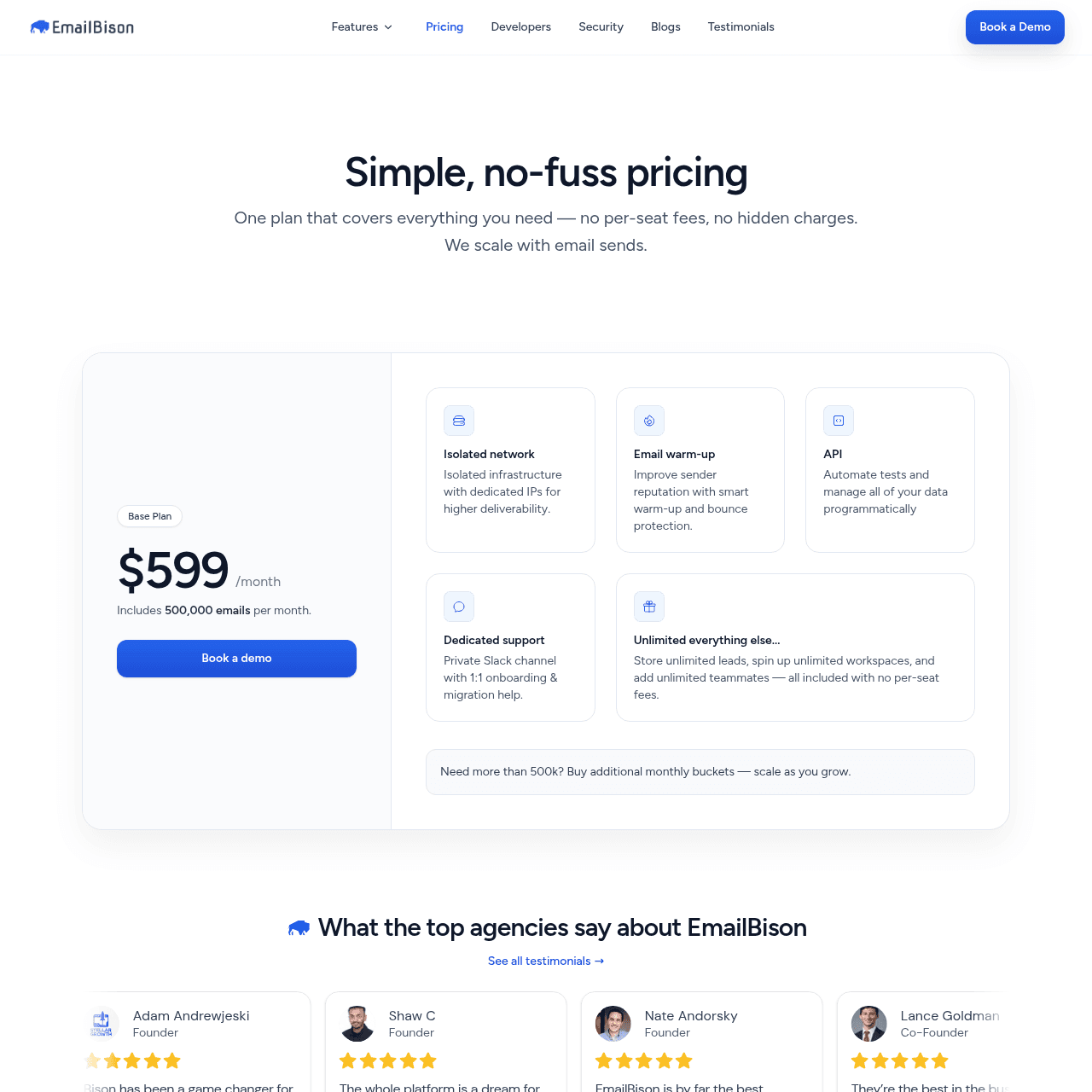
EmailBison charges $599/mo for 500K emails with dedicated VPCs, static egress, and noisy-neighbor isolation. SendKit starts at $99/mo with dedicated IPs, isolated sending, and a full suite of tools that EmailBison does not include: a 350M+ lead finder, built-in dialer, AI reply tagging, ESP matching, SEG detection, blacklist monitoring, and inbox placement testing. At the 500K email tier, SendKit Pro costs $499/mo versus EmailBison at $599/mo.
You save $100/mo and gain features EmailBison does not offer. EmailBison is a quality platform with excellent infrastructure and dedicated Slack support. But for most teams, SendKit delivers the same isolation at a fraction of the cost with more tools included.
SendKit vs EmailBison: Feature-by-Feature
| Feature | |  EmailBison EmailBison |
|---|---|---|
| Infrastructure | ||
| Dedicated IPs | Every plan Dedicated IP assigned on all plans from $99/mo | Every plan Dedicated IPs included with isolated network |
| Isolated Infrastructure | Yes Fully isolated sending, no shared pools | Yes Dedicated VPCs, static egress, private networking, noisy-neighbor isolation |
| Email Warmup | Unlimited, AI-powered AI warmup designed to pass Gmail and Outlook detection filters | Included Email warmup included in platform |
| Email Validation | Built-in, every plan Checks if addresses are deliverable using 10+ provider integrations. Enrich.so included with plan, or BYO API key. | No No built-in CSV import with validation |
| Inbox Placement Testing | Built-in Test inbox vs spam placement before each campaign | External (EmailGuard) Uses EmailGuard integration for inbox placement, not built into the platform |
| Blacklist Monitoring | Built-in Real-time alerts when any sending IP hits a blacklist | No No native blacklist monitoring |
| ESP Matching | Built-in Automatically matches sending infrastructure to recipient ESP | No No ESP matching feature |
| SEG Detection | Built-in Detects Secure Email Gateways and adjusts sending behavior | No No SEG detection |
| Sending | ||
| Email Accounts | Unlimited Effectively unlimited under a generous fair-use policy that typical users never reach | Unlimited Unlimited workspaces and teammates, no per-seat fees |
| Monthly Emails | 75K to 2.5M 75K (Essential) up to 2.5M (Agency at $899/mo) | 500K base 500K emails/month on the $599/mo plan, additional volume buckets available |
| Lead Storage | 30K to Unlimited 30K on Essential, unlimited on Pro ($499) and Agency ($899) | Unlimited Unlimited lead storage on all plans |
| Features | ||
| Multi-Step Sequences | Yes Conditional logic branching plus A/B variant testing | Yes Email sequencing with A/B testing and conditional logic |
| AI Reply Tagging | Yes Auto-categorize and tag replies using AI across all inboxes | Yes AI reply tagging and auto-categorization available |
| Unified Inbox | Yes Single inbox view for all connected accounts | Master Inbox Master inbox feature for managing replies |
| Built-in Dialer | Yes Native cold calling with ringless voicemail, AI voice cloning, and line intelligence on every plan | No No built-in dialer or calling feature |
| Lead Database | 350M+ contacts Built-in lead finder with 350M+ contact database | No No lead finder or prospecting database |
| CRM Sync | Yes Built-in pipeline CRM with deal tracking | HubSpot/Salesforce CRM sync with HubSpot and Salesforce |
| API and Webhooks | Yes 6 event types with HMAC signature verification | Yes API access, webhooks, and Clay integration |
| Scale | ||
| White-label | From $499/mo (Pro plan) Full white-label with custom branded reports, fixed price | Yes White-label branding available |
Switch to SendKit
Dedicated IPs. Isolated infrastructure. From $99/mo.
Pricing Comparison
75,000 emails · 30,000 leads
Dedicated IPs, validation, warmup, dialer, lead finder included
250,000 emails · 100,000 leads
All deliverability tools + 1,000 finder credits
500,000 emails · Unlimited leads
White-label, unlimited leads, full automation suite
2,500,000 emails · Unlimited leads
White-label, custom reports, dedicated support
EmailBison500,000 emails · Unlimited storage leads
Dedicated IPs, VPCs, static egress, noisy-neighbor isolation
Additional buckets emails · Unlimited storage leads
Additional monthly email buckets at $599 per 500K
Pricing takeaway
The pricing comparison is straightforward. EmailBison has one main plan at $599/mo for 500K emails. SendKit Pro gives you 500K emails at $499/mo. That is $100/mo less with the same dedicated IP infrastructure plus a lead finder, dialer, inbox placement testing, blacklist monitoring, and ESP matching. If you only need 75K emails, SendKit Essential at $99/mo is 6x cheaper than EmailBison while still providing dedicated IPs and isolated infrastructure. EmailBison includes dedicated Slack support, white-label branding, AI reply tagging, and excellent infrastructure isolation. SendKit offers more features per dollar at every price point.
EmailBison VPCs vs SendKit Dedicated IPs
This is where SendKit and EmailBison are most similar. Both platforms are built around the same core principle: every customer gets dedicated IPs and isolated sending infrastructure. That puts both of them in a different category from tools like Instantly, Smartlead, and Saleshandy, which use shared IP pools by default.
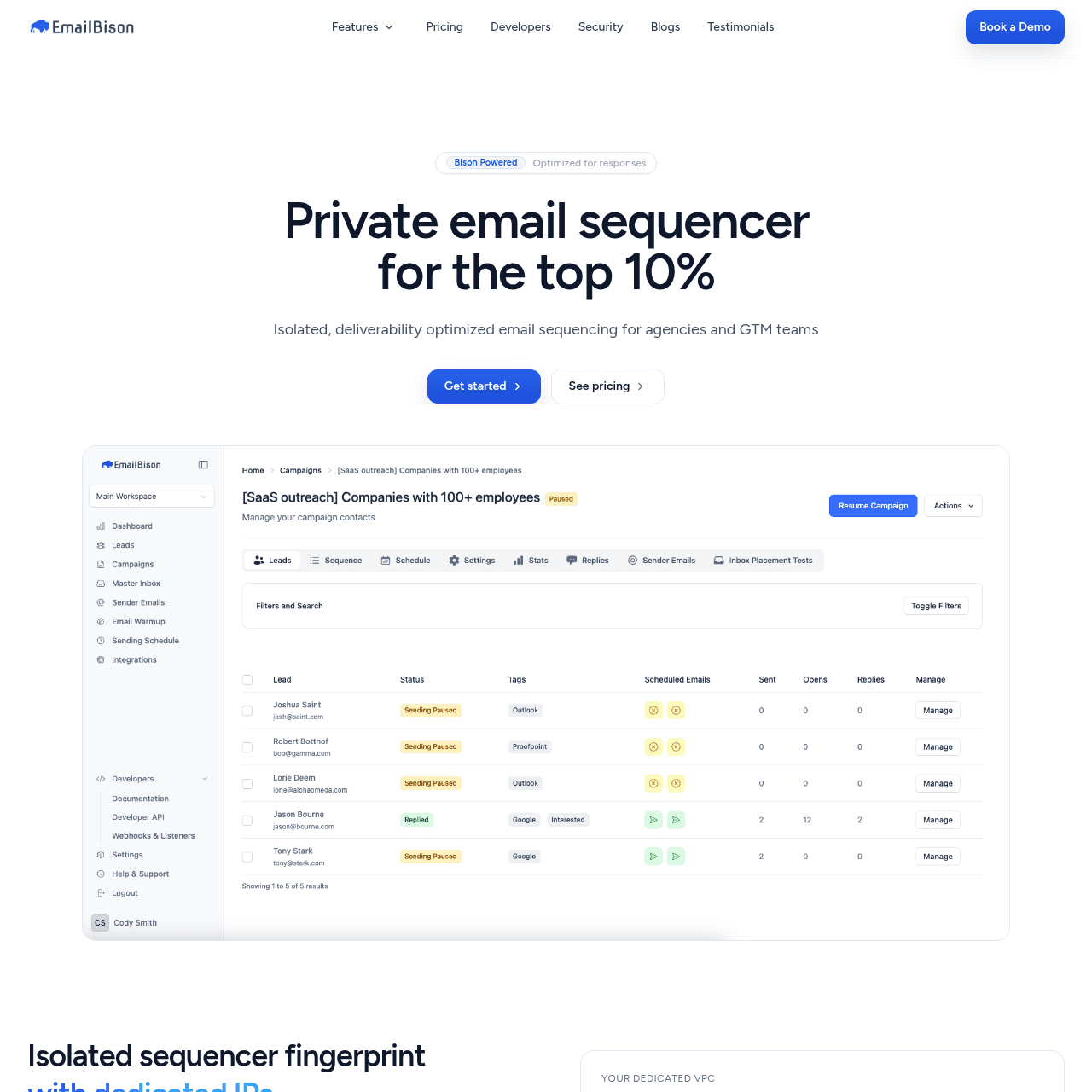
EmailBison offers dedicated VPCs, static egress, private networking, and what they call noisy-neighbor isolation. Their infrastructure is genuinely high quality. They position themselves as a "private email sequencer for the top 10%" and their architecture backs that claim.
SendKit also assigns dedicated IPs on every plan and runs fully isolated sending per account. No shared pools, no co-tenancy. The infrastructure philosophy is identical.
Where the platforms diverge is in the deliverability tooling built around that infrastructure. SendKit includes inbox placement testing, blacklist monitoring, ESP matching, SEG detection, and per-mailbox health visibility in every plan. EmailBison uses EmailGuard as an external integration for inbox placement testing and does not advertise blacklist monitoring, ESP matching, or SEG detection as built-in features.
For teams that want every deliverability signal available in one dashboard, SendKit offers more out of the box.
Key takeaways
- Both platforms: dedicated IPs and isolated infrastructure for every customer
- EmailBison: dedicated VPCs, static egress, private networking, noisy-neighbor isolation
- SendKit: inbox placement testing, blacklist monitoring, ESP matching, SEG detection built in
- EmailBison: uses EmailGuard externally for inbox placement, no native blacklist monitoring
Email Warmup and Sequencing
Both platforms include email warmup. SendKit uses an AI-powered warmup engine designed to generate engagement patterns that pass the detection filters Gmail and Outlook use to identify artificial warmup traffic. EmailBison includes warmup as part of its platform.
For sequencing, both offer multi-step email sequences with A/B testing and conditional logic. EmailBison supports conditional branching in sequences, and SendKit does the same. On core sequencing capabilities, the platforms are comparable.
Both SendKit and EmailBison include AI reply tagging that auto-categorizes responses, helping teams prioritize interested replies without manual sorting. SendKit also surfaces per-mailbox reply rate and bounce rate on the live campaigns dashboard, so you can pull a struggling mailbox into warmup before reputation damage compounds.
Key takeaways
- Both platforms include email warmup and multi-step sequences with A/B testing
- Both platforms: AI reply tagging auto-categorizes responses
- SendKit: per-mailbox reply and bounce rate visibility so you can pull struggling mailboxes into warmup
- EmailBison: solid sequencing with conditional logic and AI reply tagging
Start sending today
Set up in 15 minutes. Dedicated IPs on every plan.
The Tool Bundle Each Plan Includes
The feature gap between SendKit and EmailBison is significant. EmailBison focuses on doing infrastructure and sequencing well. SendKit bundles a broader set of tools into every plan.
SendKit includes a built-in lead finder with a 350M+ contact database. EmailBison has no lead finder or prospecting database. If you use EmailBison, you need a separate data tool like Apollo, ZoomInfo, or Clay to source leads before importing them.
SendKit includes a built-in dialer on every plan for cold calling directly from the platform. EmailBison has no calling feature. For teams that combine email and phone outreach, this means adding a separate dialer subscription.
EmailBison does offer strong integration capabilities. They support API access, webhooks, Clay integration, and CRM sync with HubSpot and Salesforce. The dedicated Slack channel for support is a premium touch that most cold email tools do not provide.
EmailBison also has no per-seat fees, unlimited workspaces, and unlimited teammates, which is excellent for larger teams. SendKit offers webhooks with 6 event types and HMAC signature verification, a built-in CRM with deal tracking, and white-label from the Pro plan at $499/mo. EmailBison also offers white-label branding.
Key takeaways
- SendKit: 350M+ lead finder, built-in dialer, ESP matching, SEG detection
- EmailBison: no lead finder, no dialer, no ESP matching or SEG detection
- EmailBison: API, webhooks, Clay integration, HubSpot/Salesforce sync, dedicated Slack support, white-label, AI tagging
- EmailBison: no per-seat fees, unlimited workspaces and teammates
$599 EmailBison vs $99 SendKit Entry
EmailBison has a single published plan at $599/mo for 500K emails per month with dedicated IPs, VPCs, and all their infrastructure features. Additional volume is available at $599 per additional 500K email bucket. SendKit offers four tiers.
Essential at $99/mo gives you 75K emails with dedicated IPs and every tool included. Plus at $249/mo gives you 250K emails. Pro at $499/mo gives you 500K emails with white-label.
Agency at $899/mo gives you 2.5M emails. The direct comparison at the 500K email tier: SendKit Pro costs $499/mo and EmailBison costs $599/mo. SendKit is $100/mo cheaper and includes a lead finder, dialer, inbox placement testing, blacklist monitoring, and ESP matching.
EmailBison includes dedicated Slack support, white-label, AI reply tagging, and excellent infrastructure, but lacks a lead finder, dialer, and some deliverability tools. At lower volumes, the gap is even larger. If you need 75K emails per month, SendKit Essential at $99/mo is 6x cheaper than EmailBison at $599/mo.
EmailBison does not have a lower-volume plan. You pay $599/mo whether you send 50K or 500K emails. EmailBison positions itself as a premium product for the "top 10%" of cold email teams.
That premium pricing makes sense for high-volume agencies that value infrastructure quality above all else. But for most teams, SendKit offers the same infrastructure quality with more features at a lower price.
Key takeaways
- EmailBison: $599/mo for 500K emails, one published tier
- SendKit Pro: $499/mo for 500K emails, $100/mo cheaper with more features
- SendKit Essential: $99/mo for 75K emails, 6x cheaper than EmailBison
- EmailBison has no lower-volume plan, you pay $599/mo regardless of usage
EmailBison Premium vs SendKit Bundled
We recommend EmailBison if you are a high-volume agency sending 500K+ emails per month, you already have a separate lead data provider and dialer, and you value premium dedicated Slack support with hands-on infrastructure management. EmailBison's architecture is genuinely excellent and their focus on isolation is real. If your only priority is infrastructure quality and you are willing to pay for it, EmailBison delivers.
We recommend SendKit for most other use cases. If you want dedicated IPs and isolated infrastructure but also need a lead finder, dialer, inbox placement testing, blacklist monitoring, and ESP matching, SendKit bundles all of that starting at $99/mo. At the 500K email tier, you save $100/mo compared to EmailBison while gaining features they do not offer.
For teams sending under 250K emails per month, there is no case for EmailBison over SendKit. You would be paying $599/mo for infrastructure when SendKit Essential ($99/mo) or Plus ($249/mo) gives you the same infrastructure quality plus a larger feature set at a fraction of the cost.
Key takeaways
- Choose EmailBison if: sending 500K+ emails, have separate lead data and dialer, value premium Slack support
- Choose SendKit if: want dedicated IPs plus lead finder, dialer, AI tagging, and white-label in one platform
- Under 250K emails/month: SendKit Essential ($99) or Plus ($249) vs EmailBison ($599)
- At 500K emails/month: SendKit Pro ($499) vs EmailBison ($599), SendKit is $100/mo cheaper with more features
Pros & Cons
SendKit
Strengths
- Same dedicated IP and isolated infrastructure as EmailBison, starting at $99/mo instead of $599/mo
- Built-in lead finder with 350M+ contact database (EmailBison has no lead finder)
- Built-in dialer for cold calling on every plan (EmailBison has no dialer)
- Inbox placement testing, blacklist monitoring, ESP matching, and SEG detection built in
- White-label from $499/mo on Pro plan and above
- $100/mo cheaper at the 500K email tier ($499 vs $599)
- Four pricing tiers from $99 to $899, so you only pay for the volume you need
Limitations
- No dedicated Slack channel for support (EmailBison includes this)
- Newer platform with a smaller user community
- No Clay integration as a native feature (EmailBison integrates with Clay)
- No static egress or private networking language in infrastructure description
EmailBison
Strengths
- Excellent infrastructure: dedicated VPCs, static egress, private networking, noisy-neighbor isolation
- Dedicated Slack support channel for hands-on assistance
- No per-seat fees, unlimited workspaces and teammates
- Clean focus on infrastructure quality without feature bloat
- API access, webhooks, Clay integration, HubSpot/Salesforce CRM sync
- Unlimited lead storage on all plans
Limitations
- $599/mo starting price with no lower-volume option
- No lead finder or prospecting database
- No built-in dialer or calling feature
- No ESP matching or SEG detection
- No built-in blacklist monitoring
- No inbox placement testing (uses external EmailGuard integration)
- No CSV import with validation
Ready to switch?
Your reputation, your control. No shared infrastructure.
Keep reading
Got questions? We've got answers.
Both platforms offer dedicated IPs and isolated infrastructure, which puts them ahead of most cold email tools. SendKit is better for teams that want more features at a lower price. SendKit Pro at $499/mo includes 500K emails, a lead finder, dialer, and ESP matching. EmailBison at $599/mo includes 500K emails with excellent infrastructure, white-label, and AI reply tagging, but no lead finder or dialer.
Ready to hit primary?
Set up SendKit's isolated infrastructure and start sending in under 15 minutes.
Dedicated IPs on every plan. Cancel anytime.