
 vs
vs
SendKit vs SuperSend (2026): Two $99 Plans, 50% Volume Gap
Both tools enter at $99/mo. SendKit ships 75K emails on dedicated IPs with a finder. SuperSend ships 50K with in-app domain procurement and LinkedIn.

The Verdict
Price parity makes this an unusual comparison: a 50K-email Pro tier on SuperSend costs the same as a 75K-email Essential tier on SendKit. The headline difference is volume (50K vs 75K) but the bigger split is what each platform optimizes for. SuperSend invested engineering hours into in-app domain and mailbox purchasing, which saves real setup time for teams provisioning new sending infrastructure regularly.
SendKit invested in dedicated IP allocation and a bundled 350M-contact finder, which removes whole tools from the stack. At identical $99 entries, the choice is a workflow question rather than a price question. Teams provisioning fresh sending infrastructure weekly should favor SuperSend's domain integration.
Teams whose bottleneck is finding contacts and protecting reputation should favor SendKit's bundled stack.
SendKit vs SuperSend: Feature-by-Feature
| Feature | |  SuperSend SuperSend |
|---|---|---|
| Infrastructure | ||
| Dedicated IPs | Every plan Dedicated IP on all plans from $99/mo | No No dedicated IPs mentioned |
| Isolated Infrastructure | Yes Fully isolated sending | No Shared infrastructure |
| Email Warmup | Unlimited, AI-powered AI warmup that passes detection filters | Included Warmup included in platform |
| Deliverability Monitoring | Built-in Inbox placement testing + blacklist monitoring | Built-in Deliverability monitoring and placement tests |
| Infrastructure Purchasing | No BYO domains and mailboxes | Yes Buy domains and mailboxes directly inside the app |
| Sending | ||
| Email Accounts | Unlimited Effectively unlimited under a generous fair-use policy that typical users never reach | Plan-based Varies by plan tier |
| Monthly Emails | 75K to 2.5M 75K (Essential) to 2.5M (Agency) | 50K to 200K 50K (Growth) to 200K (Scale) |
| Features | ||
| LinkedIn Sequences | No Email and phone focused | Yes LinkedIn automation in sequences |
| Unified Inbox | Yes Single inbox for all accounts | Super Inbox Unified reply management |
| Built-in Dialer | Yes Native cold calling on every plan | No No dialer |
| Lead Database | 350M+ contacts Built-in lead finder | No No lead database |
| Scale | ||
| White-label | From $499/mo Full white-label on Pro | No No white-label |
Switch to SendKit
Dedicated IPs. Isolated infrastructure. From $99/mo.
Pricing Comparison
75,000 emails · 30,000 leads
Dedicated IPs, validation, warmup, dialer included
250,000 emails · 100,000 leads
All deliverability tools + finder credits
500,000 emails · Unlimited leads
White-label, unlimited leads
2,500,000 emails · Unlimited leads
Dedicated account manager
SuperSend50,000 emails · N/A leads
Email + LinkedIn, deliverability monitoring
200,000 emails · N/A leads
Higher volume, infrastructure add-ons separate
Pricing takeaway
At the same $99/mo price point, SendKit gives you 75K emails with dedicated IPs and a lead database. SuperSend gives you 50K emails on shared infrastructure with LinkedIn sequences. The choice depends on whether you need LinkedIn automation or dedicated IPs and a lead finder.
SuperSend Shared Pool vs SendKit Dedicated IPs
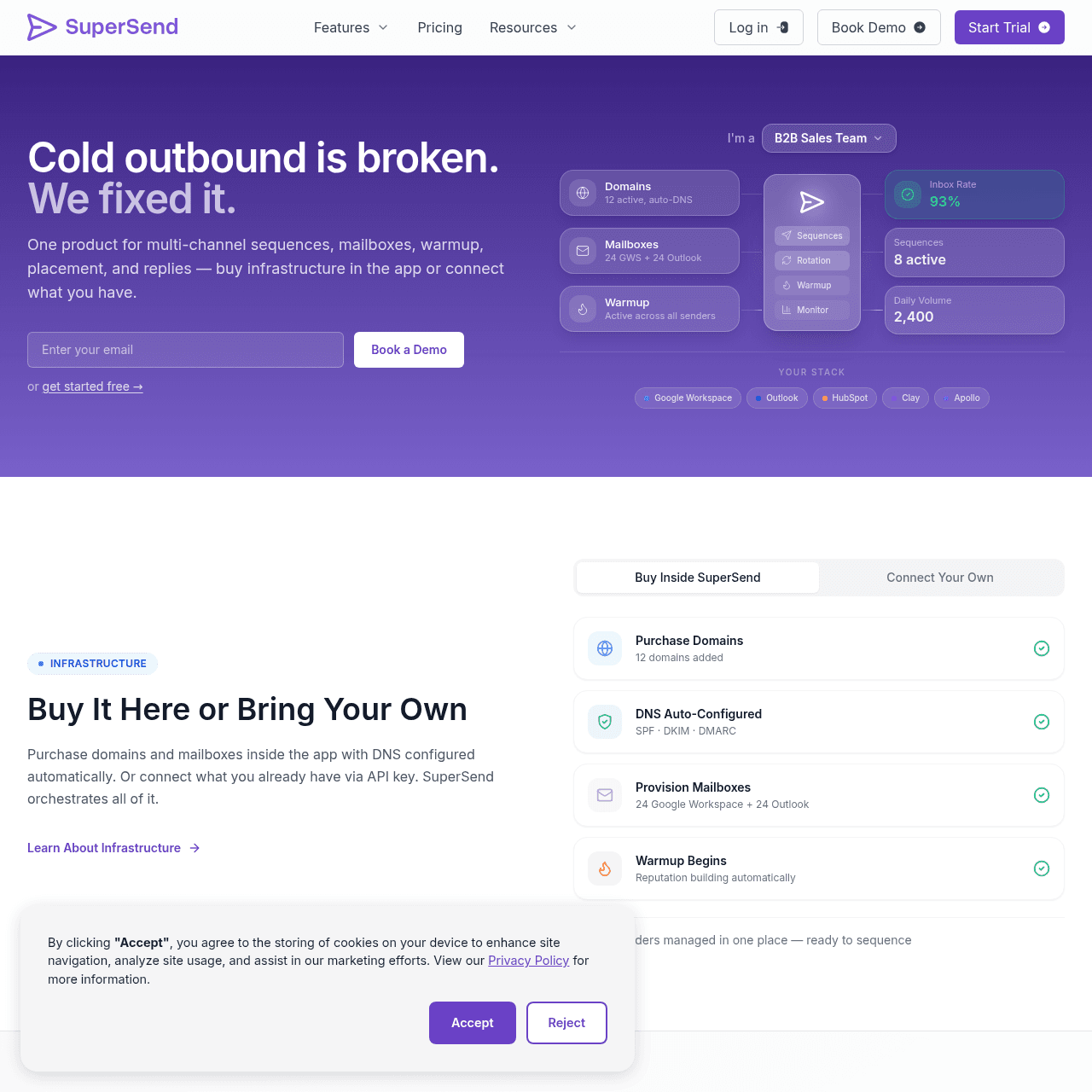
SendKit assigns dedicated IPs on every plan. SuperSend runs on shared infrastructure but compensates with built-in deliverability monitoring and placement tests. SuperSend's standout infrastructure feature is the ability to purchase domains and mailboxes directly inside the app, which simplifies setup for teams scaling their sending infrastructure.
For deliverability tooling, both platforms offer monitoring capabilities. SendKit includes inbox placement testing, blacklist monitoring, and email validation. SuperSend includes deliverability monitoring and placement tests.
The key difference is the underlying IP architecture: SendKit gives you dedicated IPs that isolate your sender reputation, while SuperSend shares infrastructure across users.
Key takeaways
- SendKit: dedicated IPs on all plans
- SuperSend: shared infrastructure with deliverability monitoring
- SuperSend: buy domains and mailboxes inside the app
- Both platforms offer placement testing
Multi-Channel Capabilities
SuperSend's main advantage over SendKit is LinkedIn automation. You can combine email and LinkedIn actions in a single sequence. Profile visits, connection requests, and messages can be part of the same workflow as email follow-ups.
SendKit focuses on email and phone. The built-in dialer lets you call warm leads directly from the platform. SuperSend has no dialer.
If your outreach strategy relies on LinkedIn, SuperSend has an edge. If it relies on phone calls, SendKit wins.
Key takeaways
- SuperSend: LinkedIn sequences combined with email
- SendKit: built-in dialer for cold calling
- SuperSend: no dialer
- SendKit: no LinkedIn automation
Start sending today
Set up in 15 minutes. Dedicated IPs on every plan.
Two $99 Plans, Different Email Allocations
Both platforms start at $99/mo. SendKit Essential gives you 75K emails, 30K leads, dedicated IPs, and a built-in dialer. SuperSend Growth gives you 50K emails with LinkedIn sequences and deliverability monitoring on shared infrastructure.
At scale, SuperSend Scale costs $319/mo for 200K emails. SendKit Plus costs $249/mo for 250K emails on dedicated IPs. SendKit is cheaper for more volume with better infrastructure at the mid-tier.
Infrastructure add-ons on SuperSend are priced separately, adding to the total cost.
Key takeaways
- Both start at $99/mo
- SendKit Essential: 75K emails, dedicated IPs, dialer
- SuperSend Growth: 50K emails, LinkedIn sequences, shared infrastructure
- SuperSend Scale ($319/mo) vs SendKit Plus ($249/mo): SendKit is cheaper with more volume
SuperSend for Domain Provisioning, SendKit for Database
We recommend SuperSend if LinkedIn is a core part of your outreach strategy and you want email + LinkedIn in one tool with built-in infrastructure purchasing. The ability to buy domains and mailboxes inside the platform is a genuine time-saver. We recommend SendKit if deliverability is your priority and you need dedicated IPs, a 350M+ lead database, and a built-in dialer.
At $99/mo, SendKit gives you more emails and better infrastructure than SuperSend at the same price.
Key takeaways
- Choose SuperSend if: LinkedIn automation is core to your outreach, want to buy infrastructure in-app
- Choose SendKit if: deliverability matters most, need dedicated IPs, want a lead database and dialer
Pros & Cons
SendKit
Strengths
- Dedicated IPs on every plan
- 350M+ lead database included
- Built-in dialer for cold calling
- 75K emails at $99/mo vs SuperSend's 50K
- White-label from $499/mo
- Inbox placement testing and blacklist monitoring
Limitations
- No LinkedIn automation
- No in-app domain and mailbox purchasing
- Newer platform with smaller community
SuperSend
Strengths
- LinkedIn sequences combined with email
- Buy domains and mailboxes inside the app
- Deliverability monitoring and placement tests
- Super Inbox for unified reply management
Limitations
- Shared infrastructure, no dedicated IPs
- No lead database
- No built-in dialer
- No white-label
- Infrastructure add-ons priced separately
- 50K emails at $99/mo vs SendKit's 75K
SuperSend Screenshots
Ready to switch?
Your reputation, your control. No shared infrastructure.
Keep reading
Got questions? We've got answers.
No. SuperSend does not mention dedicated IPs on any plan. SendKit includes dedicated IPs on every plan starting at $99/mo.
Ready to hit primary?
Set up SendKit's isolated infrastructure and start sending in under 15 minutes.
Dedicated IPs on every plan. Cancel anytime.